
Web Utility · 2025
Image Splitter
Split one crowded image into clean individual PNGs with previewable bounds, quality controls, and a zip export designers can actually trust.
Role
Design + Build
Year
2026
Platform
Web + CLI
Type
Prototype shipped
Overview
A faster way to separate icons from a single source image
Image Splitter started from a designer-specific problem I kept running into: turning a sheet of icons, marks, or sticker-style assets into separate transparent PNGs. I designed the flow and interface for a browser-based tool that lets users upload a sheet, inspect the detected bounds, tune the settings, and export clean individual crops. I used Claude as a coding partner to help develop the detection algorithm and backend export logic.
The Problem
Cropping asset sheets by hand is a hassle and wastes precious design time
The task sounds simple until the source image has uneven spacing, anti-aliased edges, shadows, or an opaque background. I wanted the tool to remove repetitive cropping while still giving the designer enough control to catch mistakes before export.
Manual cropping
Pulling icons out one at a time is slow, inconsistent, and easy to misalign.
Edge cleanup
Opaque backgrounds and soft shadows can leave halos unless the export pipeline handles alpha carefully.
Export confidence
A blackbox splitter is risky; users need to see the bounds before committing to the output.
Process & Exploration
Turning detection into a designer friendly workflow
I shaped the experience around a simple loop: upload, preview, tune, export. The design challenge was not only detecting components, but making the algorithm’s decisions visible enough that a designer could understand and adjust them.

Input → preview → export
The browser flow mirrors the actual decision sequence instead of hiding detection until the download.

Detection controls
Settings for tolerance, padding, grouping, alpha cleanup, and quality mode give the tool useful range.

Quality testing
I validated transparent images, opaque backgrounds, sample sheets, invalid uploads, and zip output.
Design Solution
Three decisions that made the utility usable
01
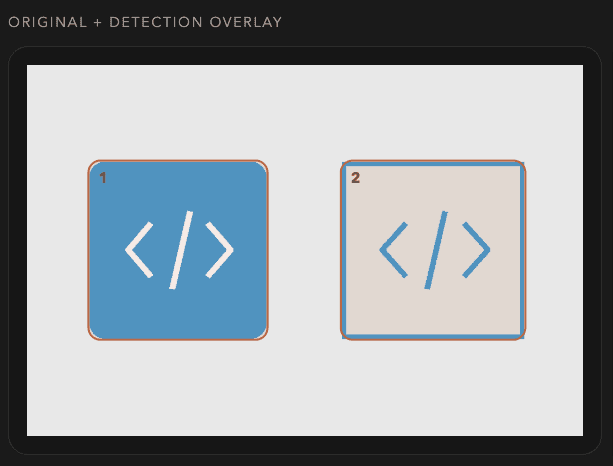
Preview before export
Detected bounding boxes show up before the split runs, so users can decide whether the settings are good enough or need another pass.

02
Quality controls for cleaner crops
The export path can trim transparent padding, clean alpha haze, use premultiplied upscale, and sharpen RGB without damaging transparent edges.
03
Zip plus manifest
Each result is named predictably and bundled with a manifest so the output is useful for real project handoff, not just a pile of downloads.

The Build
Designed the workflow then built the splitter
I focused on the browser experience, testing, and overall workflow, while using a Claude coding agent to help implement the Python/Pillow detection pipeline, CLI batch path, and deployed prototype. The result is not just a mockup. It is a working utility with export safeguards, tests, and a real end-to-end flow.
Python
Pillow
Browser UI
CLI
Zip export
Vercel
Automated tests
Run locally
$ python3 web_app.py --port 8008
Browser flow supports upload → preview bounds → split → zip download, with CLI mode for batch runs.
Outcome & Reflection
What shipped and what I would test next
PNG + ZIP
EXPORT BUNDLE
Preview bounds
before export
Local CLI + Browser Paths
This project pushed me to design for trust in an algorithmic workflow. The interface needs to show what the system thinks it found, not just promise that it worked. Next I would validate the splitter against a larger real world image set and add better controls for touching objects and textured backgrounds.
Final Outcome