Overview
DropConvert is a tiny macOS app that lives in your menu bar. You drop in a file, pick a format, and it’s converts it locally with no account and no upload. I designed and built the app with the help of Claude and Codex agents. I also added an agent skill so your AI agent could also use the tool as well.
The Problem
A HEIC photo that won’t upload. A screen recording in the wrong format. An SVG a teammate can’t open. These five-second tasks took so much longer because there was never a simple and free tool for you to use. I was always looking online for a website or something to use .
Format friction
Every format HEIC, WebM, SVG, MOV seems to need its own app or a sketchy web uploader.
Privacy cost
Most quick converters send your files to someone else’s server just to change an extension.
Context switching
Opening Preview, exporting, digging through menus it all breaks focus for a 5-second job.
Process & Exploration
I stripped the task down to its core loop: drop, choose, convert. I mapped the user flow first, then made a rough prototype so I could hand the idea to my agent with the menu-bar behavior already clear.

User flow
The full drop → pick format → save loop, mapped before any pixels.

Rough prototype
An early frame of the menu-bar panel, file preview, format chips, and convert action before building it for real.

Prototype success state
The same rough panel after conversion, using the green done state to make the result feel instant and obvious.
Design Solution
01
Lives in the menu bar
No dock icon, no clutter. DropConvert is a tiny icon that sits in your menu bar always one click away, never in the way of what you’re doing.

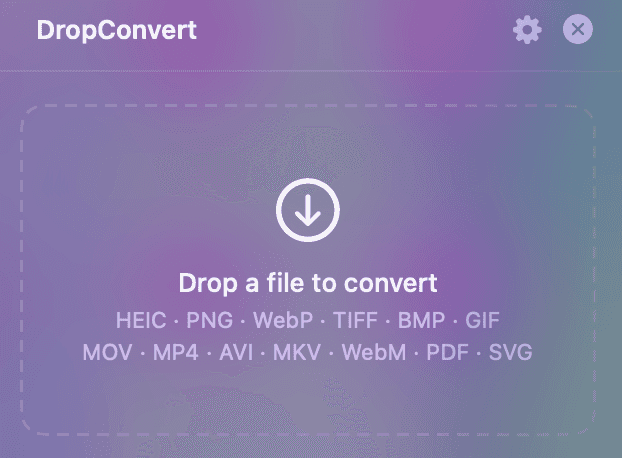
Drag, drop, done
Drag a file onto the icon and the conversion panel springs open instantly. Pick an output format, and hit convert. The whole thing takes about a second.
Converted, saved, gone
The convert button turns green and says done to let you know it worked and the new file lands on your Desktop, then the panel quietly disappears so you drop straight back into your flow.

The Build
DropConvert is not just a prototype in figma it is a fully function mac app you can download today and use for yourself. I with the help of my agents built the macOS app in Swift, wired up the conversions, signed and notarized the build, and set up a one-line installer. I even shipped an agent skill so AI tools can convert files through the same engine.
Swift
SwiftUI
AppKit
ffmpeg
sips
MCP Agent Skill
Notarized DMG
Install
$ curl -fsSL https://dropconvert.app/install.sh | bash
Also available via Homebrew (brew install --cask dropconvert) and as an agent skill (pip).
Outcome & Reflection
12+
input formats supported
1 click
from drop to done
100%
local — nothing uploaded
Building DropConvert end to end taught me so much as this was the first app took all the way to the finish line and released for the public to use. Teaching me more than just designing and building but the whole distribution process. From setting up the apple developer account to notarizing, signing, and getting certificates for the app was a who learning process of its own. I plan to keep updating the app in the future adding more formats to convert to and maintaining it while testing new ideas.
Final product